UX RESEARCH
Understand user needs and define the project goals.
Design
Develop high-fidelity designs, focusing on usability and aesthetics.
Test & Refine
Conduct usability testing to identify and solve potential pain points.
About Blue Rent
BlueRent is a van rental company based in Alphen aan den Rijn, where I live. Their service is excellent and the team is genuinely friendly. After their company was recently affected by a major fire, I decided to surprise them with a free website redesign.
Why a Redesign?
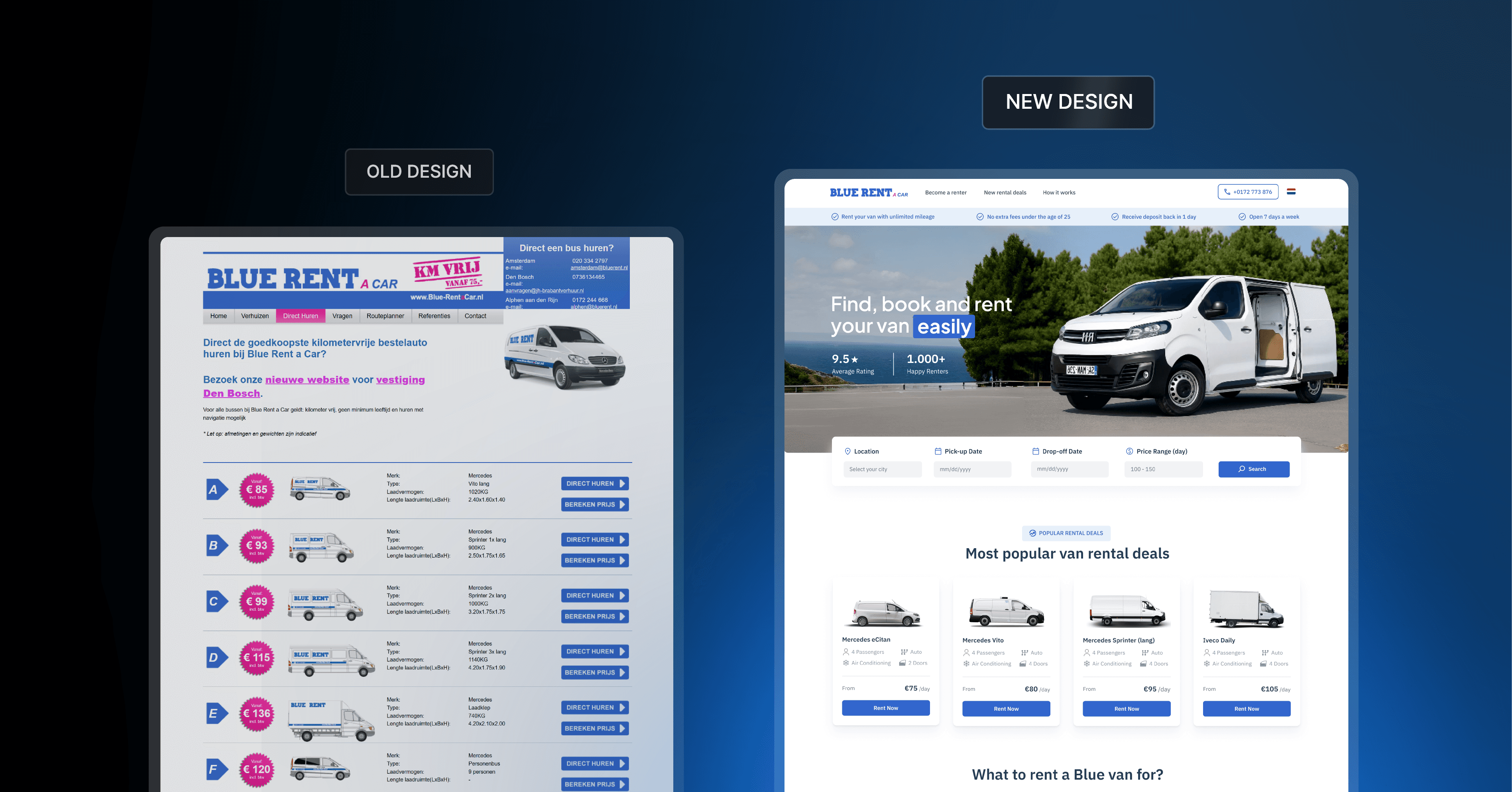
Even though their website is an important source of clients, the website is outdated and no longer conveys credibility. The booking process is slow, error-prone, and lacks a smooth flow, which results in lost conversions. Time to address these issues!
User Testing: Important Tasks are Hard to Complete
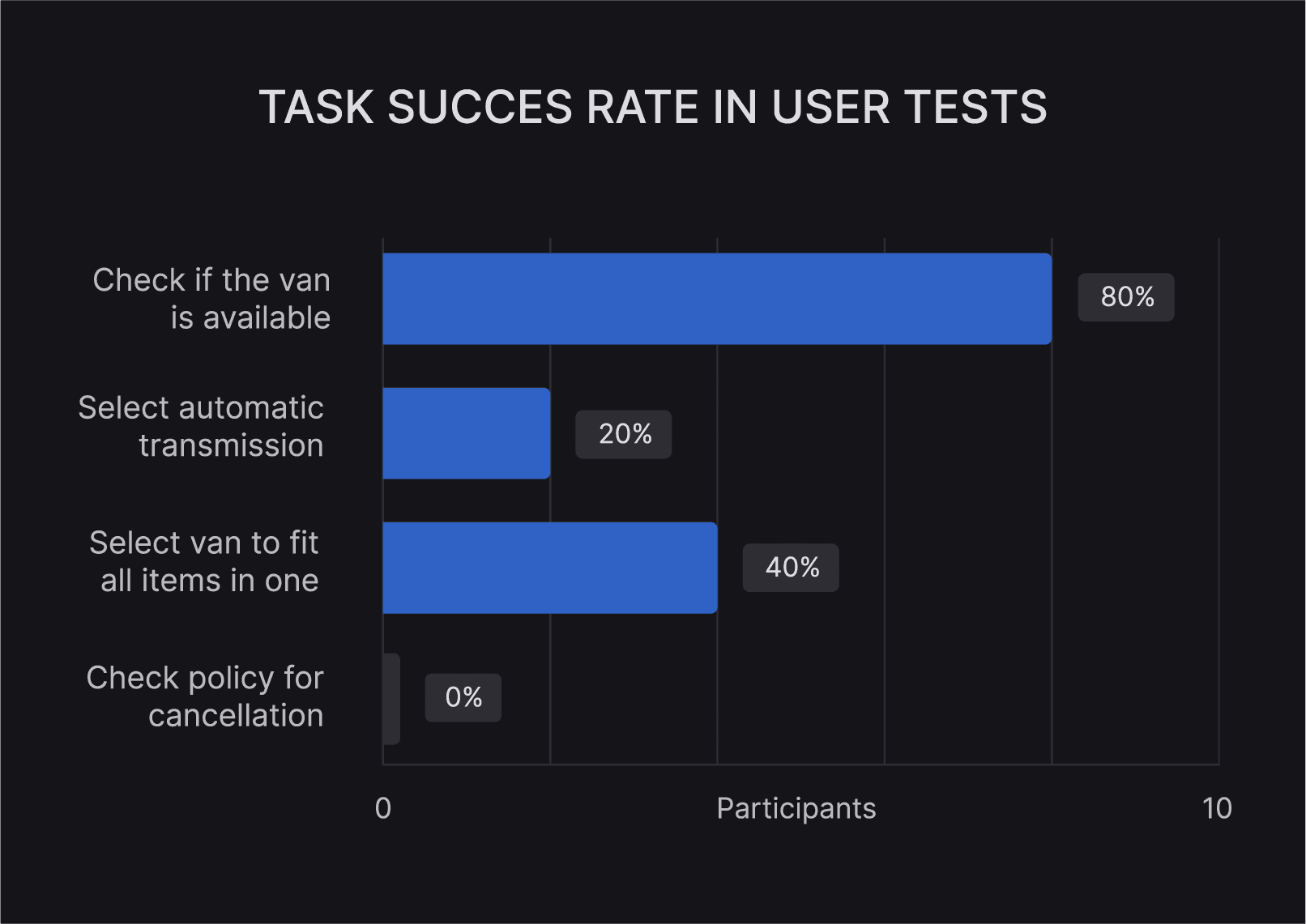
After the interviews, I asked participants to complete four tasks they would also typically perform when renting a van. I measured the success of the tasks by whether they could complete each action using the website only.
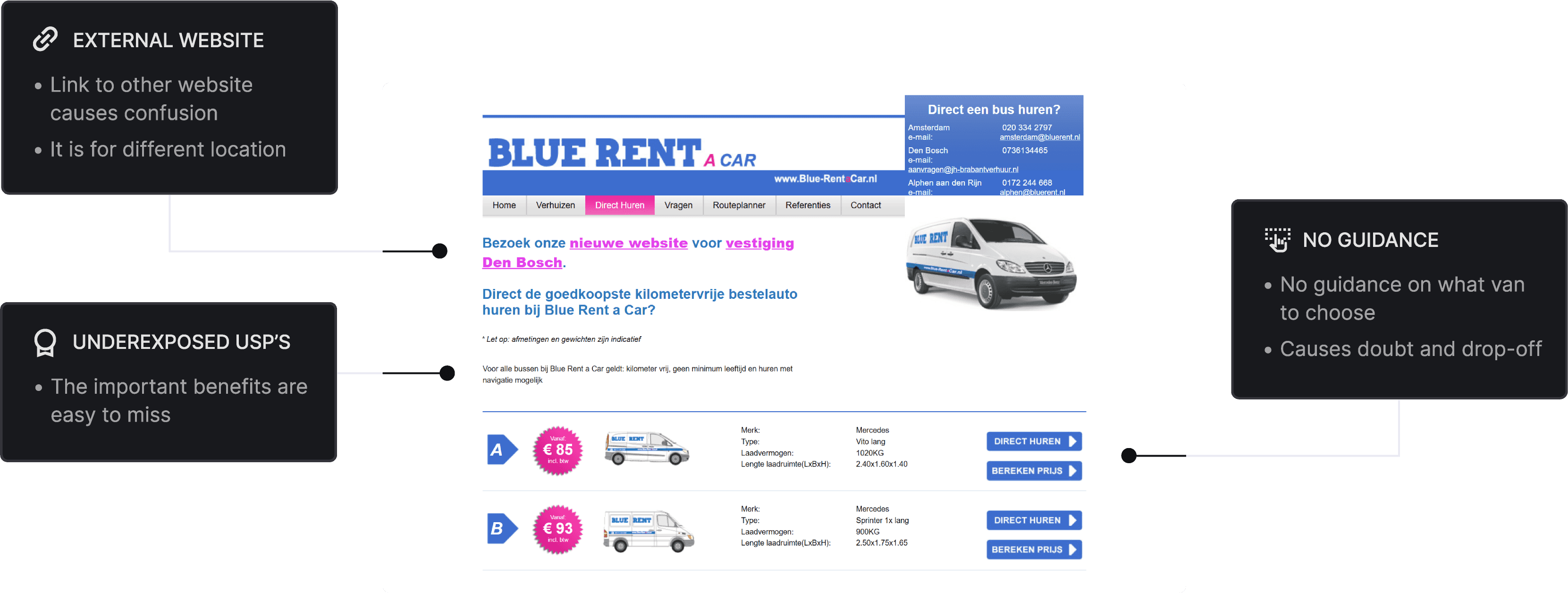
A simple task 'Checking the availability' performed well. However, we ran into problems when users had to complete more complex tasks such as choosing which of the vans specifically fits their needs and booking this.
Interviewing Potential Customers of BlueRent
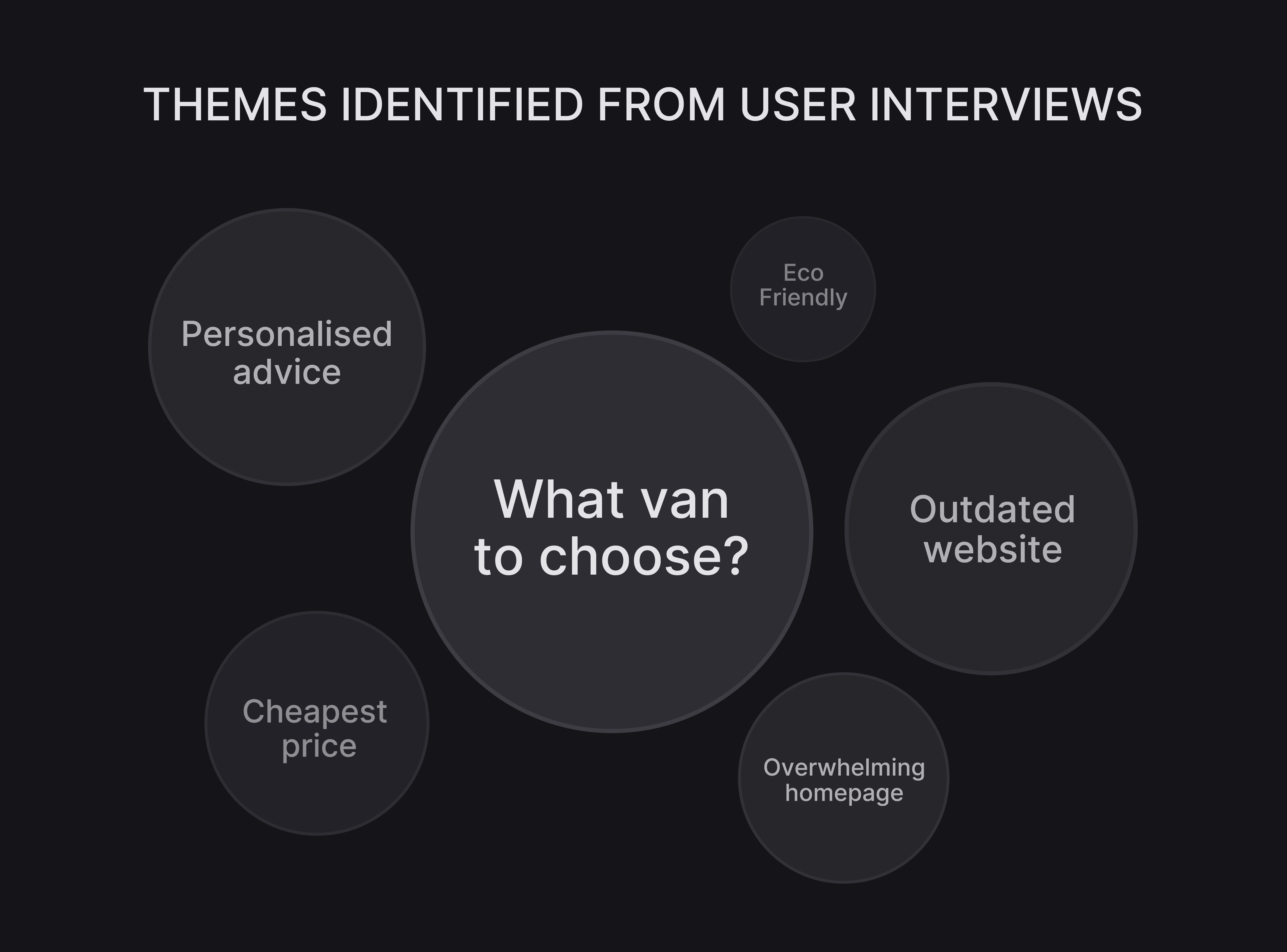
To understand how potential customers experience renting a van with Blue, I interviewed 10 people who periodically rent a van. I asked participants questions about their opinion on the design, challenges they face when booking and how it influences their decision to rent. Two themes stood out:
Customers want guidance in choosing the right van
The website felt overwhelming and unprofessional leading to a reduction in credibility
UX Research: What is the Current Experience like?
ANALYZE
Brainstorm ideas and explore multiple design directions.
Design
Develop high-fidelity designs, focusing on usability and aesthetics.
Test & Refine
Conduct usability testing to identify and solve potential pain points.
Role
UI / UX design, UX research
Project
Full app design
Tools
Figma etc.
Timeline
Apr - Jul 2025

Project learnings
6
For my first end-to-end app design, I got to dive into every step: from early research to final UI. Along the way, I learned that good design isn’t just visual; it’s also about using the right words and giving users the context they need. Overall, I learned a lot and am excited for future projects!
The next steps
For future development, I recommend further user research to better understand user needs. Besides adding new features, it would be valuable to offer more customization options, letting users tailor their dashboards to the data they find most important.
43s
9
8.6
Participants tested the prototype
Average time to complete a task
Iterations made after user testing
Final user test usability rating
Analyzing: Making key Decisions with Data
The Fun Part: Redesigning the website UI
Design

Develop high-fidelity designs, focusing on usability and aesthetics.
ANALYZE
Brainstorm ideas and explore multiple design directions.
Research
Understand user needs and define the project goals.
Test & Refine
Conduct usability testing to identify and solve potential pain points.
Research
Analyze
Design
Testing
ANALYZE
Brainstorm ideas and explore multiple design directions.

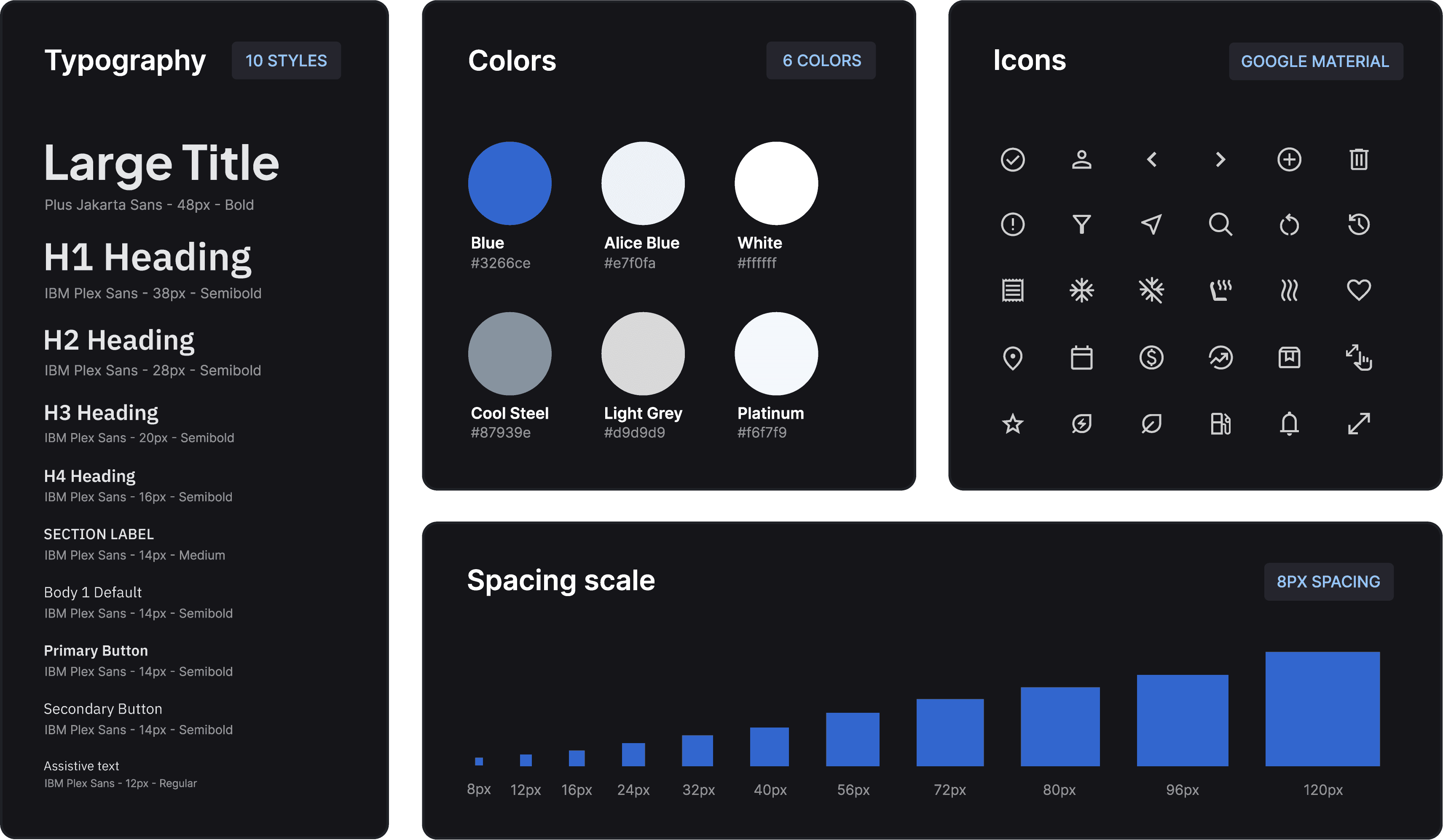
Mini Design System
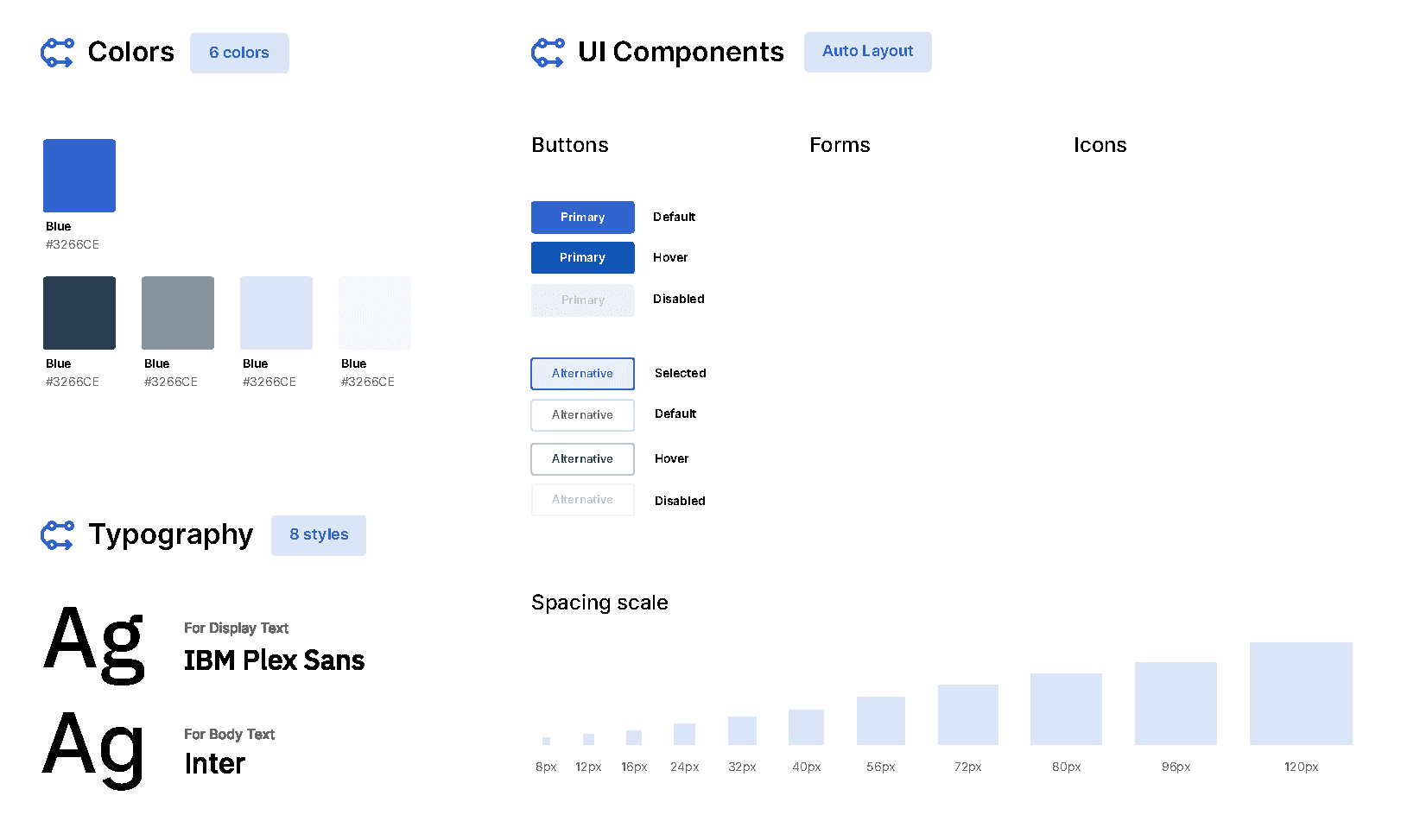
I created a mini design system to define typography, colors, spacing, and icons for a consistent UI.
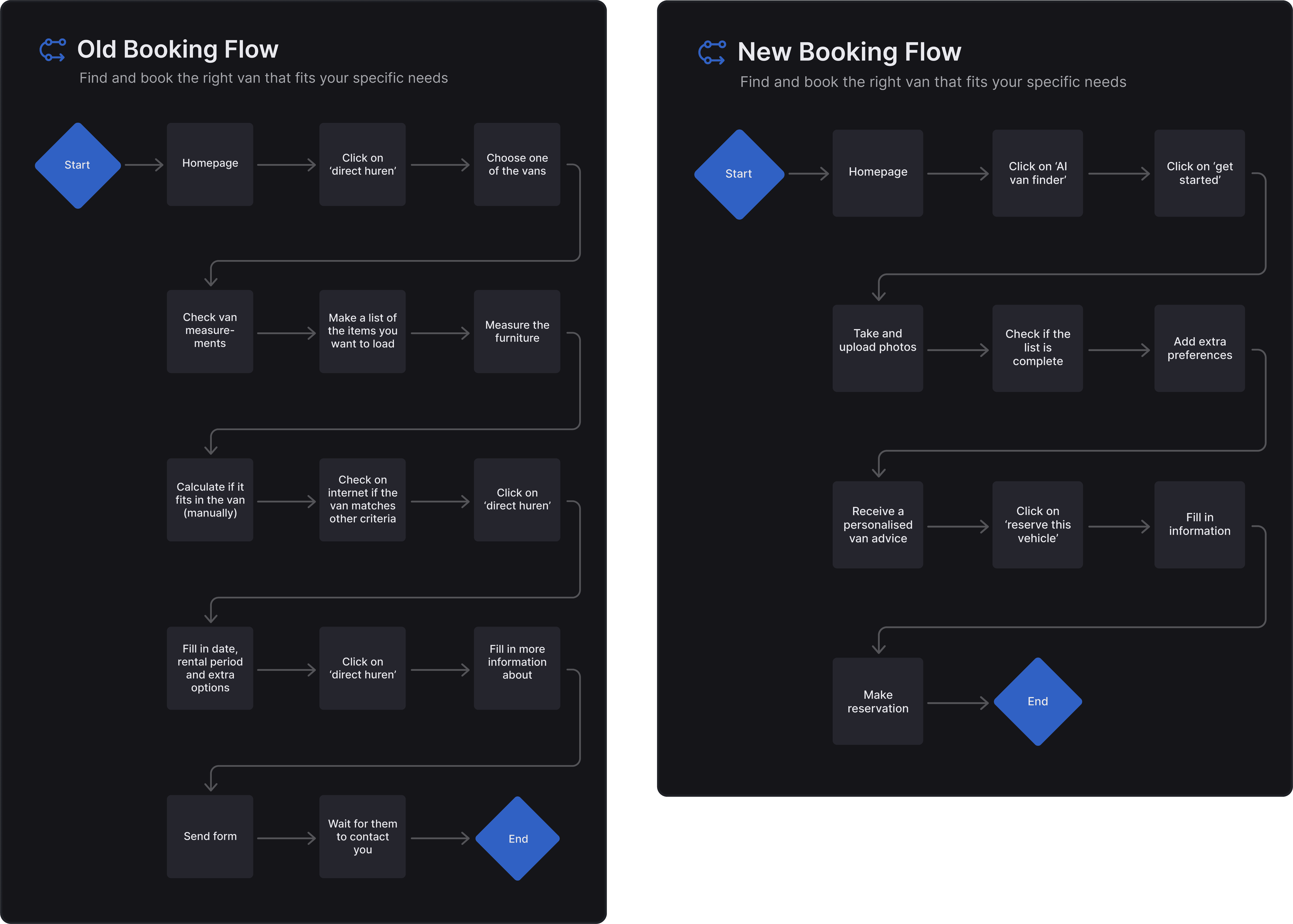
Improving the Booking Flow
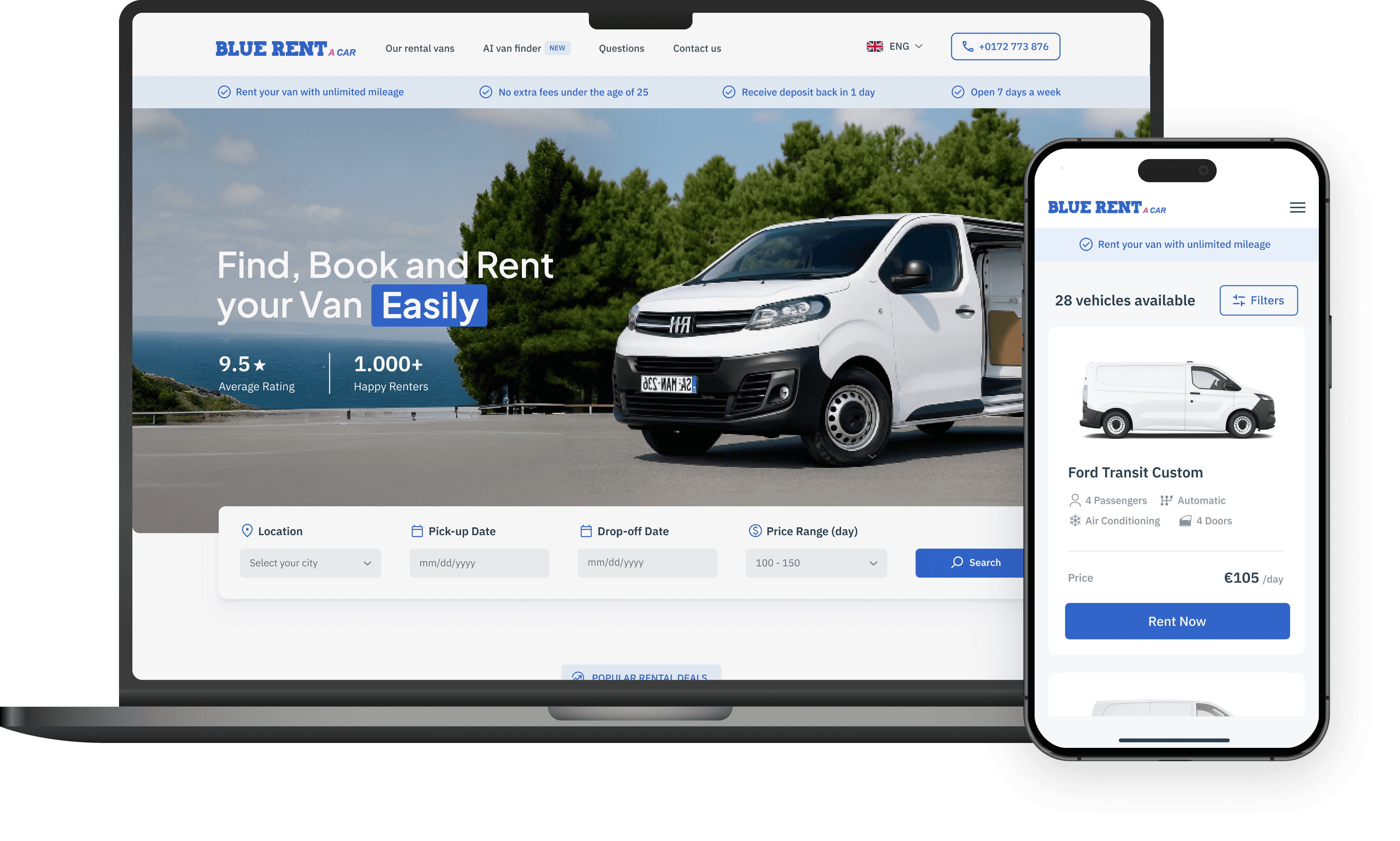
By introducing an AI-powered booking flow, the process was simplified and reduced to fewer, clearer steps. Users now receive personalized van recommendations, making booking faster and more intuitive.
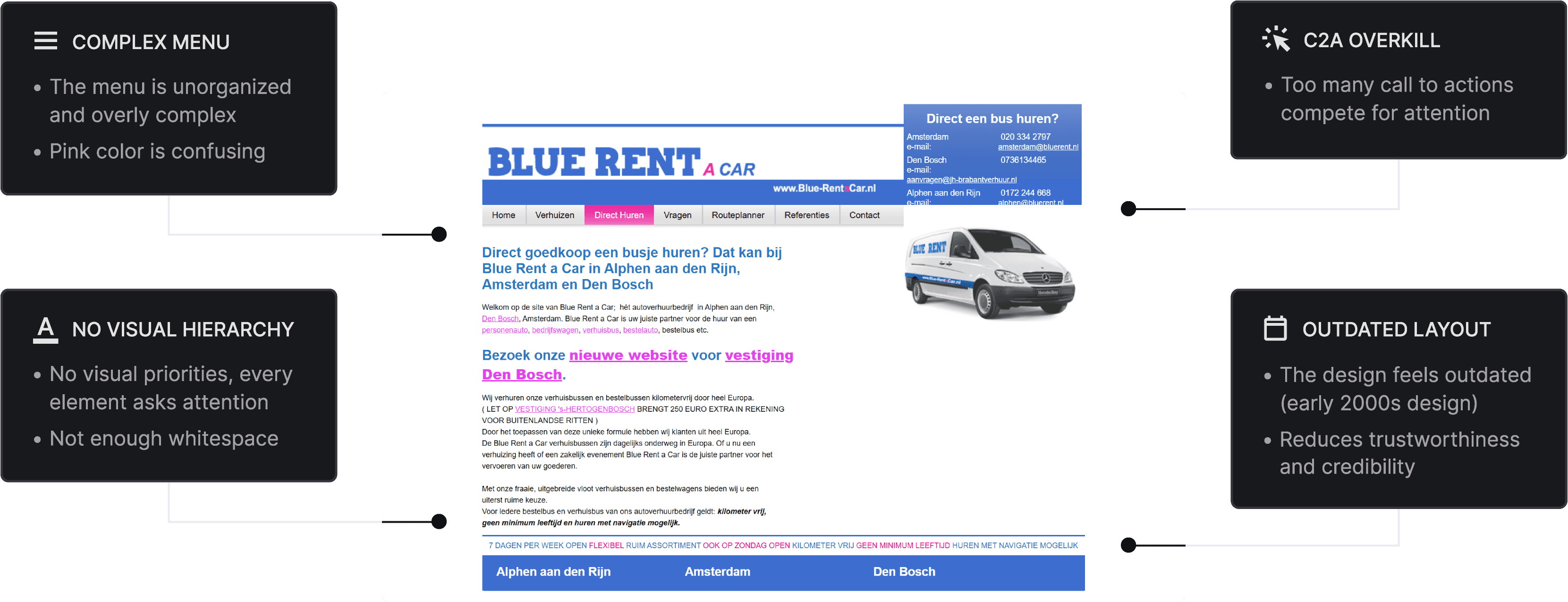


OUTDATED & OVERWHELMING
Clients drop off due to the outdated and overwhelming look of the website, which hurts credibility.
OUTDATED & OVERWHELMING
Clients drop off due to the outdated and overwhelming look of the website, which hurts credibility.
Redesigned UI: make BlueRent feel professional and reliable
The Two Solutions
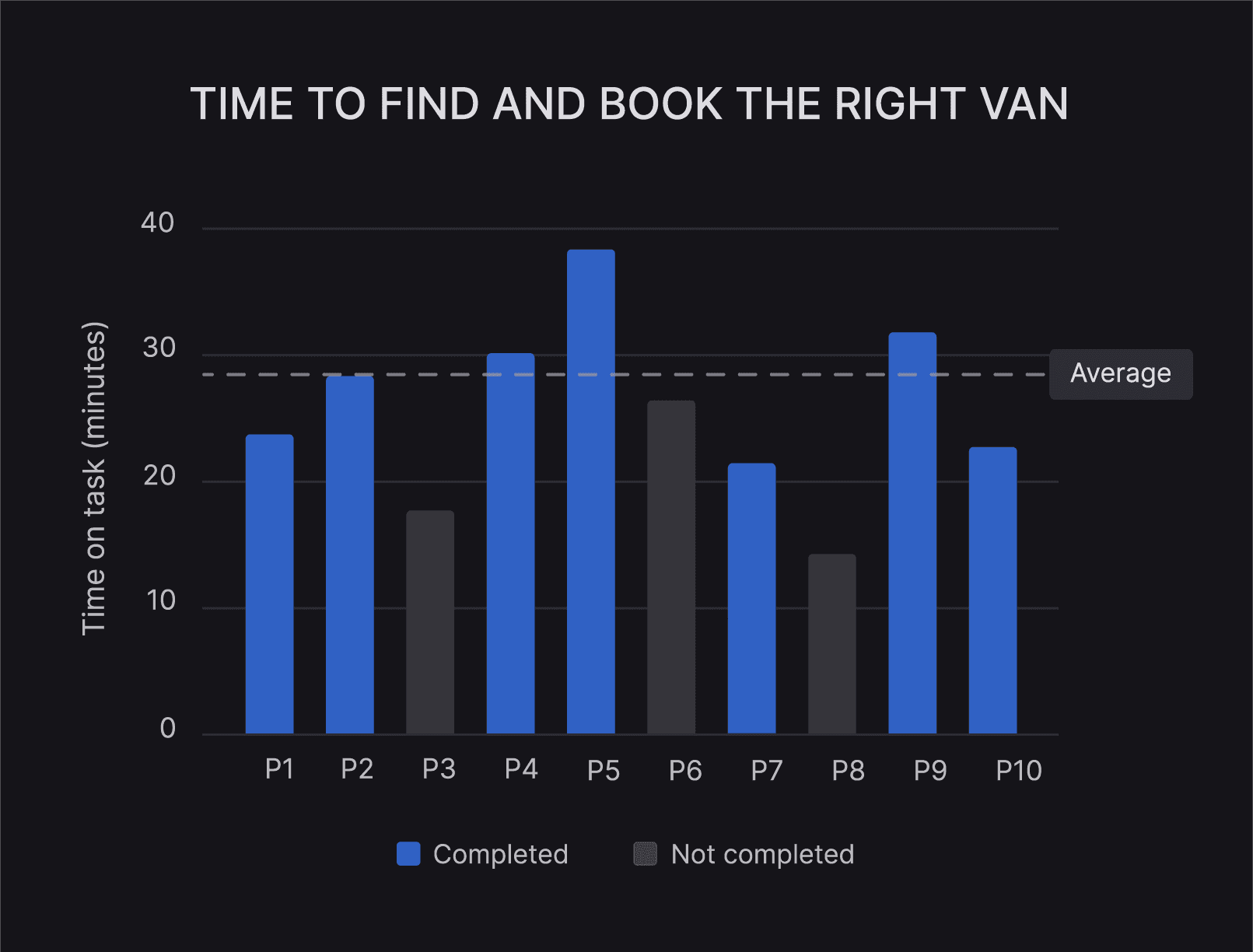
The problems become even more clear when looking at the time on task for selecting and booking the right van: The most important flow users must complete on the website. To measure how long this took, I used UXtweak.
The results varied significantly, but the average completion time was 28 minutes: far too long. Three participants even dropped out due to the friction in the booking process.
AI powered booking flow: find the best van fast and easily
UX RESEARCH
Understand user needs and define the project goals.

It Takes too Long to Find and Book the Right Van
Users want to find the best van quickly with minimal effort, but the booking process can feel overwhelming. An AI-powered flow simplifies this by suggesting the best option based on user needs.
Credibility is important when choosing where to rent. The current interface does not always convey reliability, while a redesigned UI makes BlueRent feel more professional and trustworthy, increasing booking confidence.
UI Analysis
I conducted a heuristic UI analysis that revealed key usability issues, including a lack of visual hierarchy, an overloaded menu, and competing call-to-actions. These issues reduce clarity, trust, and overall usability.
Blue Rent Website
WEBSITE REDESIGN
This rest case is still under construction, but I was so enthusiastic about the vacancy that I couldn’t wait to respond. I expect to have the case finished by Friday the 23rd, and I’d love to share more with you then!